Multiplication Chart 1-12


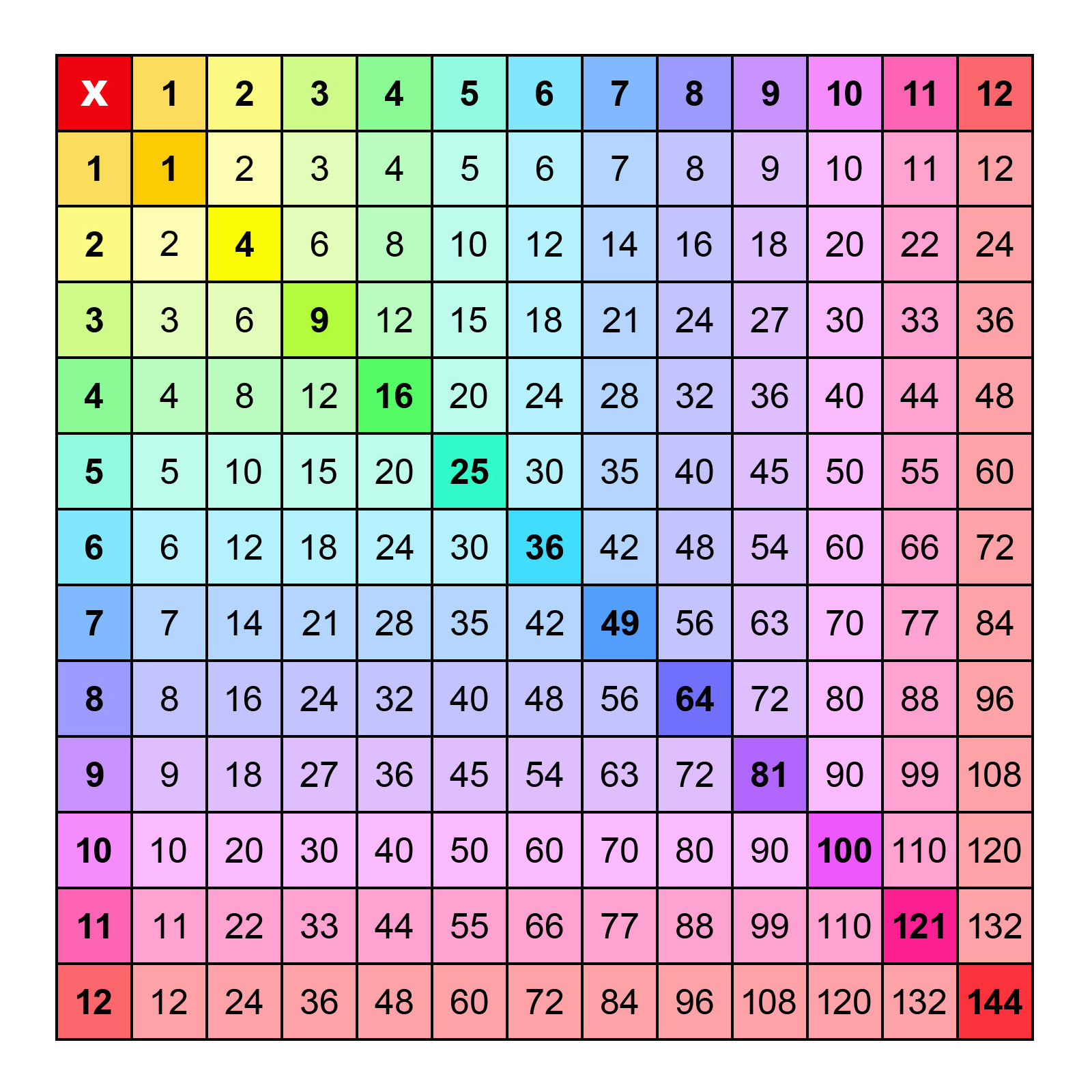
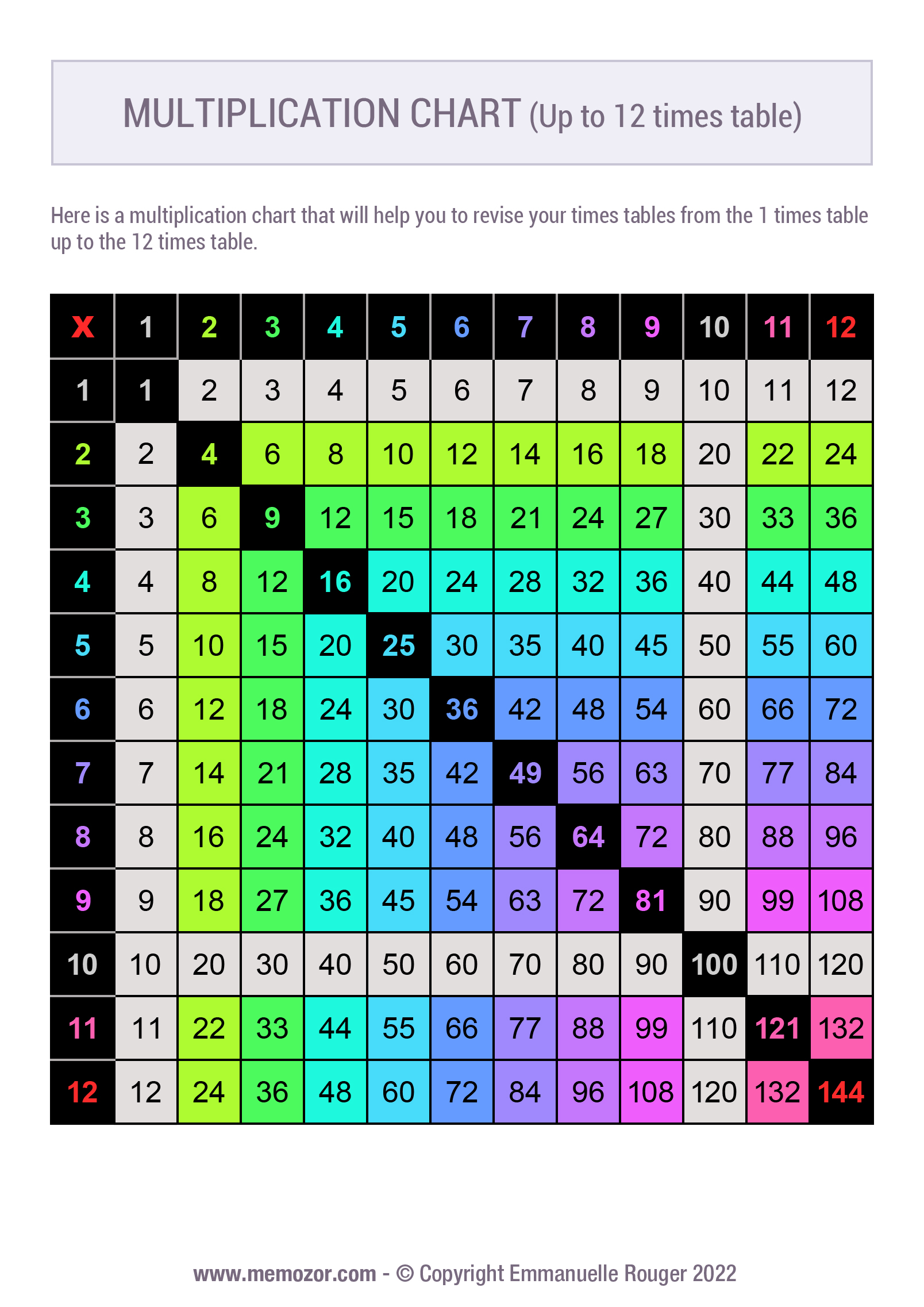
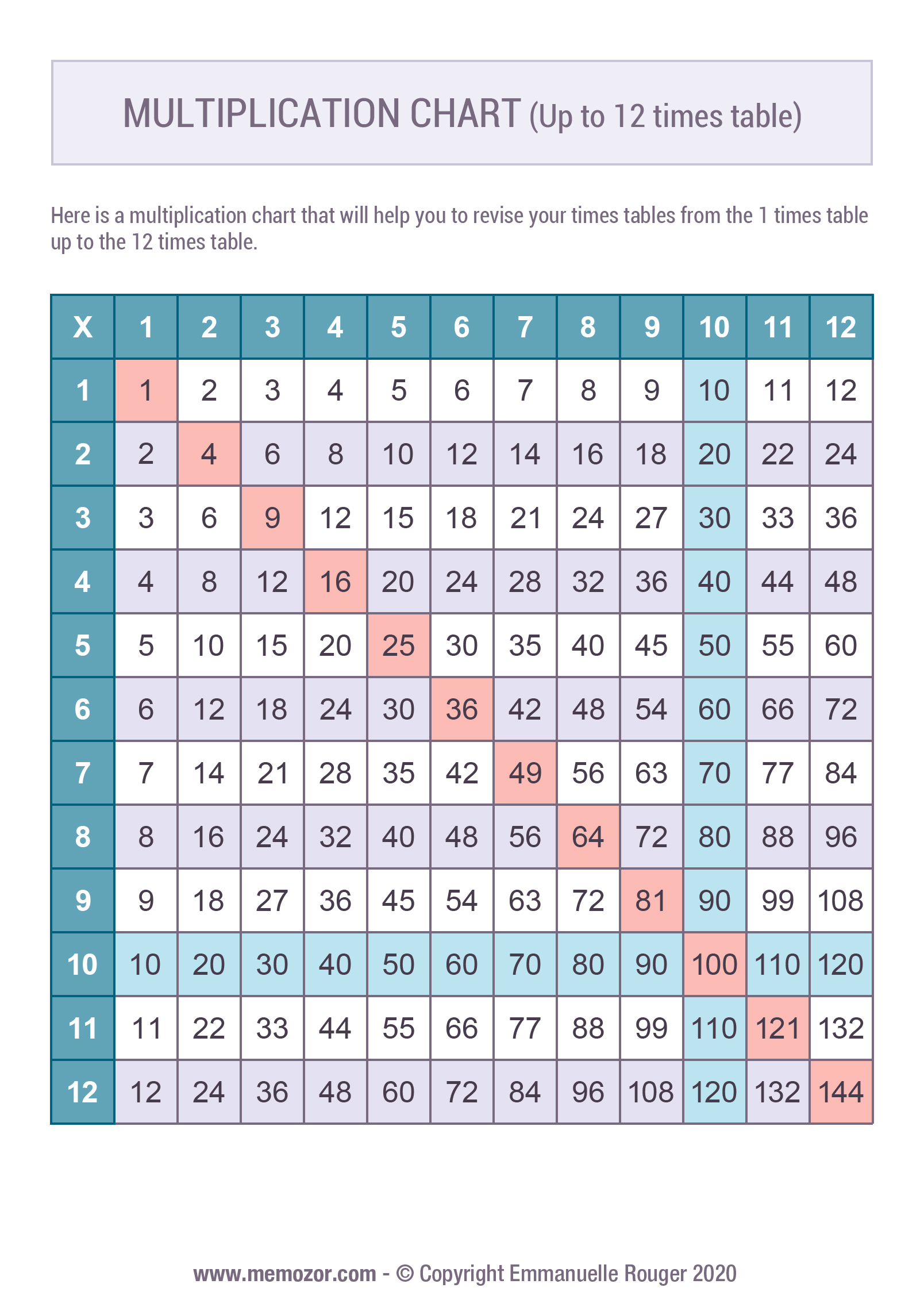
We offer a wide range of multiplication charts from 1 to 12 to help you learn your times tables, from the 1 times table up to the 10 times table. Below you'll find filled-in or blank charts to fill in, classic or more fun designs, in color or black and white: there's something for everyone, and all our PDFs are free! Feel free to check out our full range of multiplication charts, where you'll find other grid sizes (10×10, 15×15, 20×20) as well as blank charts to complete.
These 12×12 grids are especially handy: they let you find the result of a multiplication quickly and easily. A multiplication chart is a valuable tool as soon as a child starts learning their times tables at school.
You can also use our online interactive multiplication chart: simply hover over a cell to instantly display the result.
Printable multiplication charts 1-12

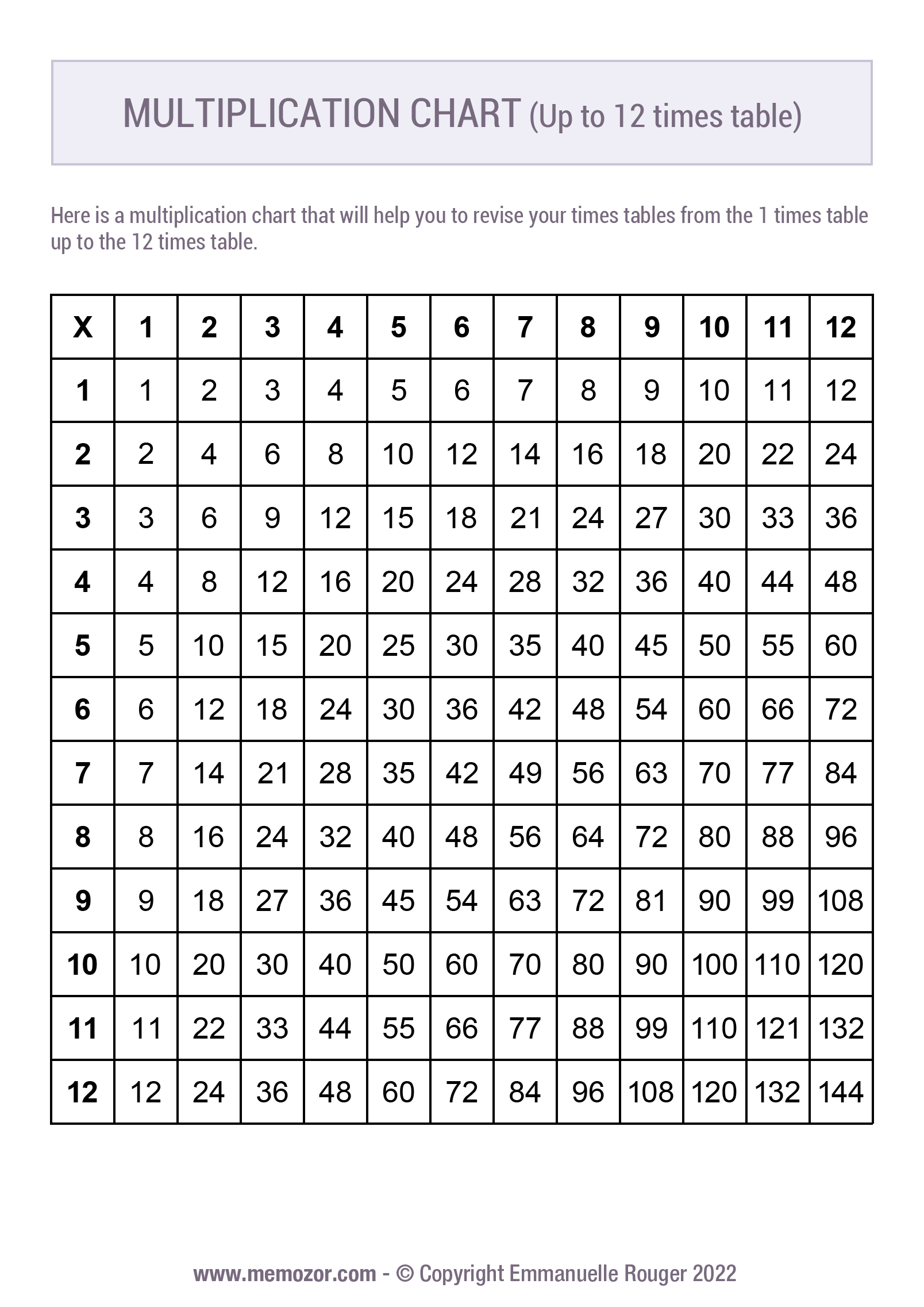
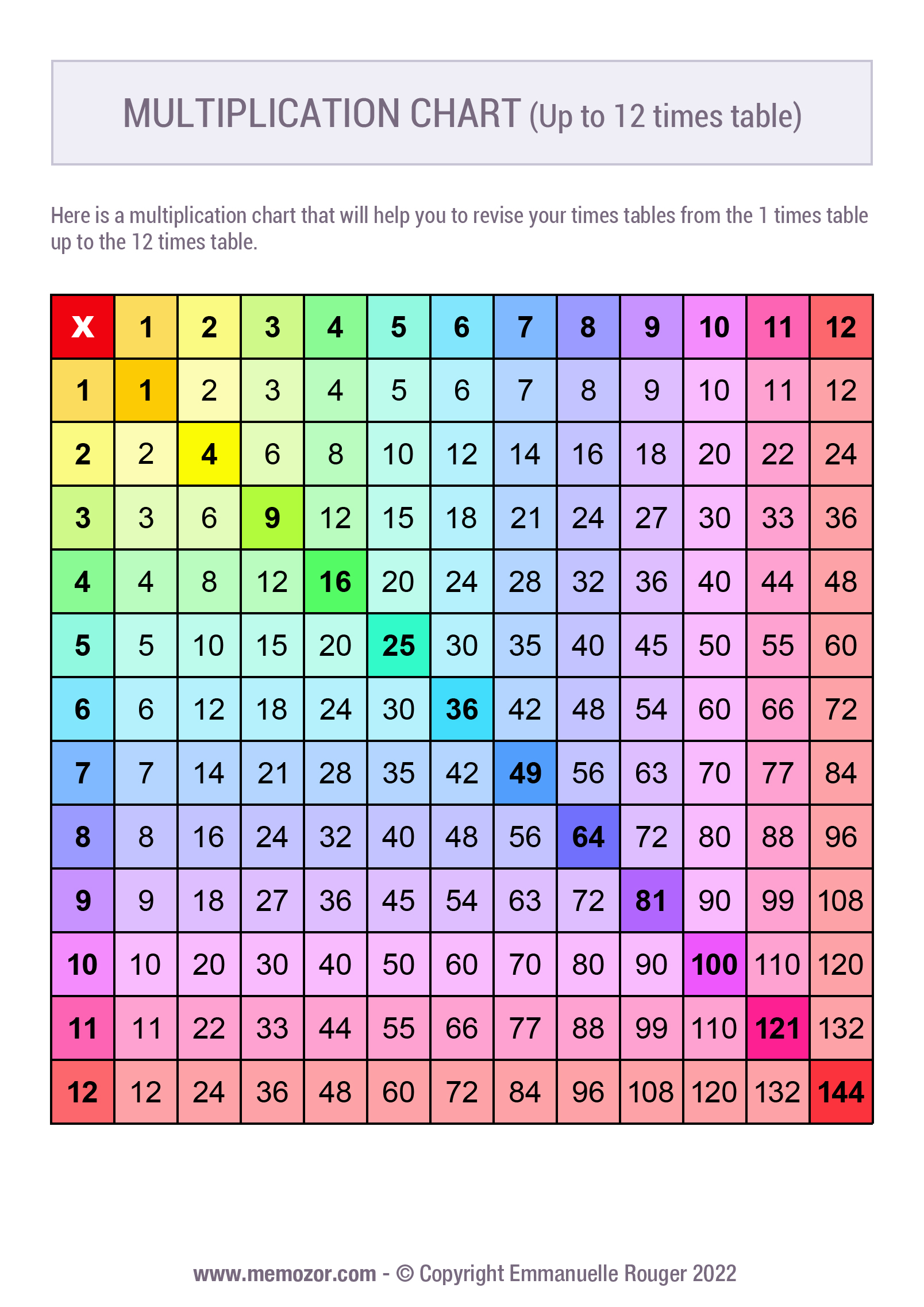


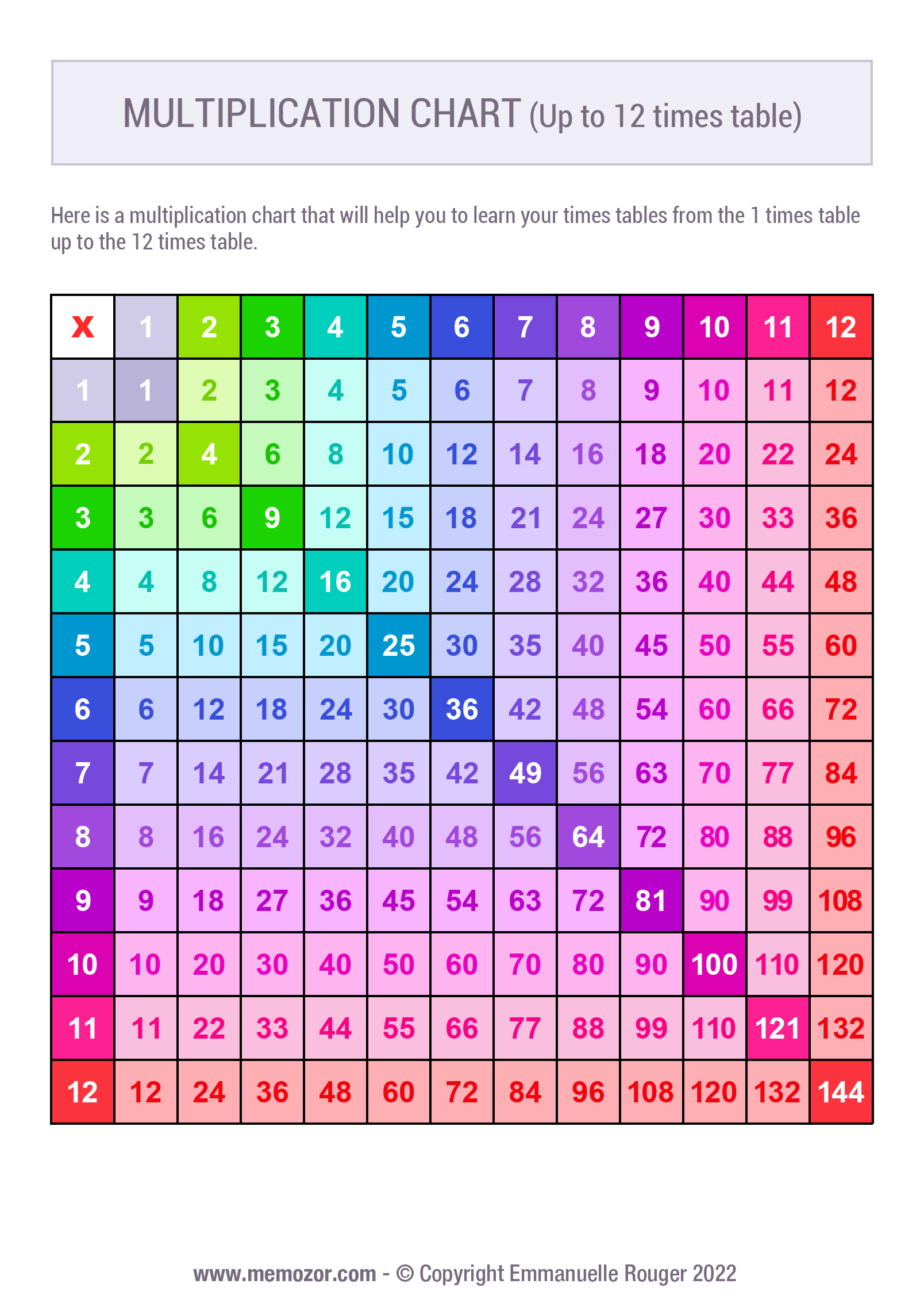

Printable blank multiplication charts 1-12


Online interactive multiplication chart 1-12
Thanks to this interactive multiplication chart, easily find the answer to any multiplication from 1×1 up to 12×12 ! Simply hover over or click on a cell with your mouse (or touch a cell with your finger if you're using a tablet or smartphone). It's an easy-to-use tool that makes math more fun !
You can customize its appearance by choosing from several themes, including Minecraft, animals, Halloween, and many more. The chart can also be used entirely with the keyboard, making it accessible to visually impaired users.
Interactive multiplication chart: use the arrow keys to move between cells, including row and column headers. Press Enter or Space on a data cell to select it and hear the multiplication result. Press Enter or Space on a column or row header to select it; once a row and a column are selected, the result of the corresponding multiplication is announced automatically. Press Escape to clear the selection. Press Tab to exit the chart.

Loading the multiplication chart — please wait a few seconds
How to use this interactive chart
To find a result, you have two options : click directly on the cell you're interested in, or go step by step : first select the first number of the multiplication in the row header, then the second number in the column header (or vice versa). The chosen row and column are then highlighted, and the result appears instantly at their intersection.
Simple and fun, this tool requires no installation : it runs directly in your browser, on any device.
In terms of accessibility, keyboard navigation is available using the arrow keys, which let you move between cells, including the row and column headers. You can move directly to the cell you're interested in, or select the correct row and then the correct column in the headers to hear the result right away, without having to navigate to the cell itself. Press Enter or Space on a data cell to select it and hear its result. The Escape key clears the selection, and the Tab key exits the chart.